How it works
Three things happen: you tell Styvica what you own, you show it what you’re wearing, and it tells you what to put on — and why. Sneakers and clothes both. The first part is meant to take minutes, not an evening.
The fastest way in: one photo, several items
Photograph a whole outfit and Styvica catalogues every piece in it — the jacket, the top, the trousers, the shoes — from that single image. You don’t add them one at a time.
Two kinds of photo work best:
- You, wearing the outfit. A mirror shot or someone taking the picture. Full length if you can, so the shoes are in frame.
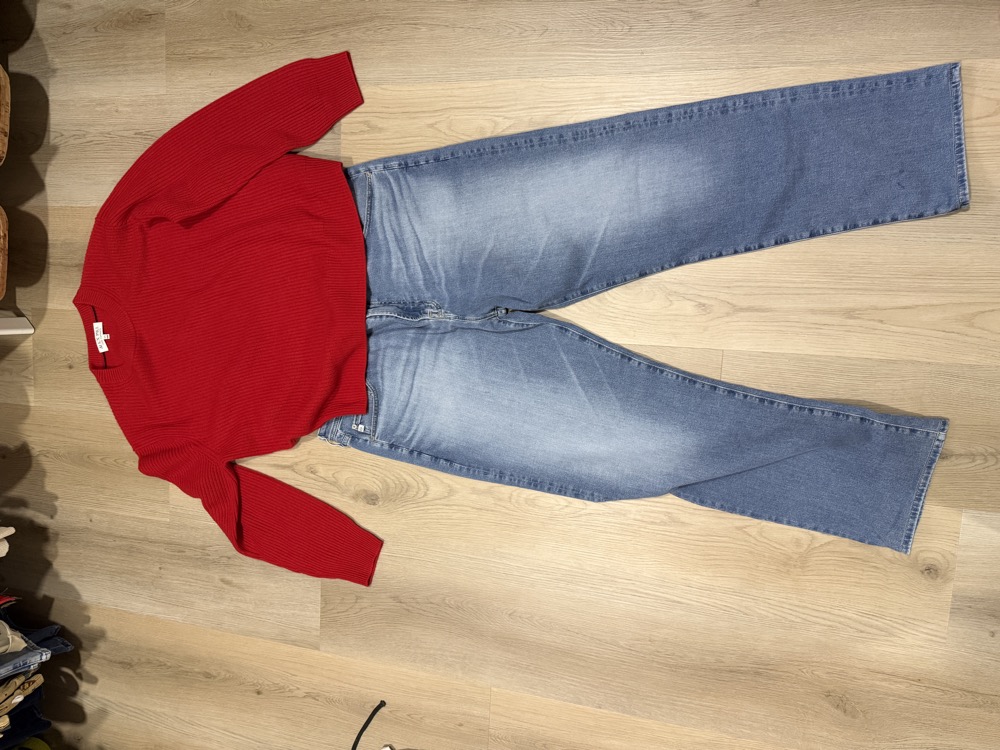
- The pieces laid out flat. On a bed or the floor, not overlapping, each garment fully visible.
Fully visible is the whole point. Styvica can only describe what it can see. A garment laid out flat comes back as a “pink ribbed cardigan”; the same garment folded in a stack, showing three inches of sleeve, comes back as “pink knit” — because the buttons and the shape simply aren’t in the photo.

Adding one thing at a time
Tap Add items for anything — one thing or a whole batch. Styvica looks at each photo and catalogues whatever it finds: one garment on its own becomes one item, a photo of you dressed becomes one item per piece.
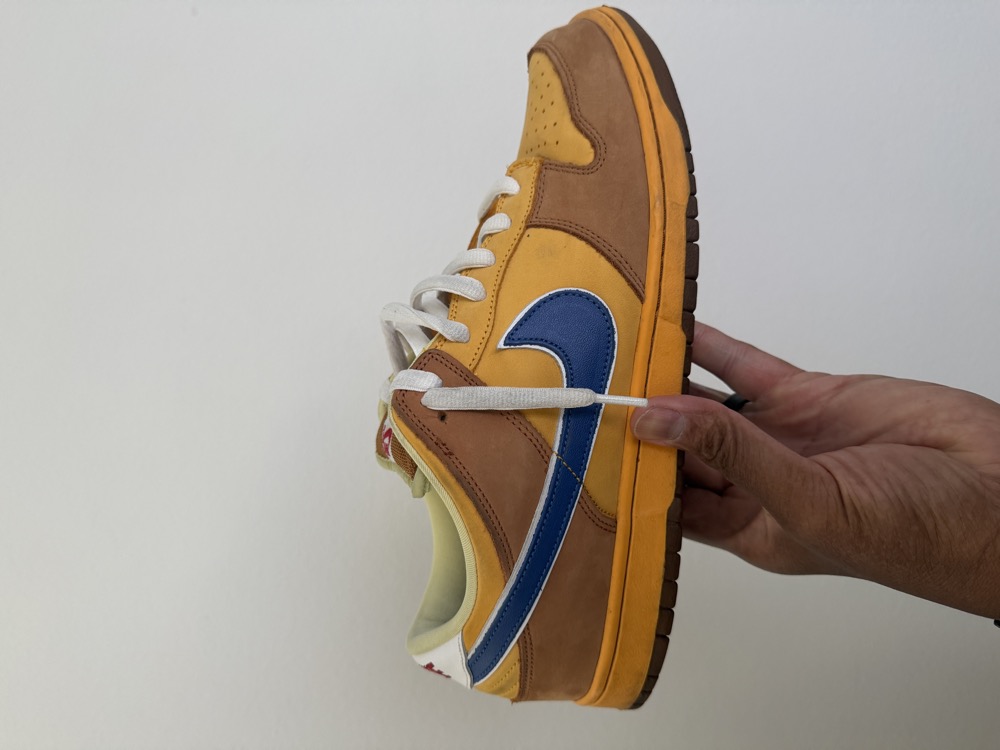
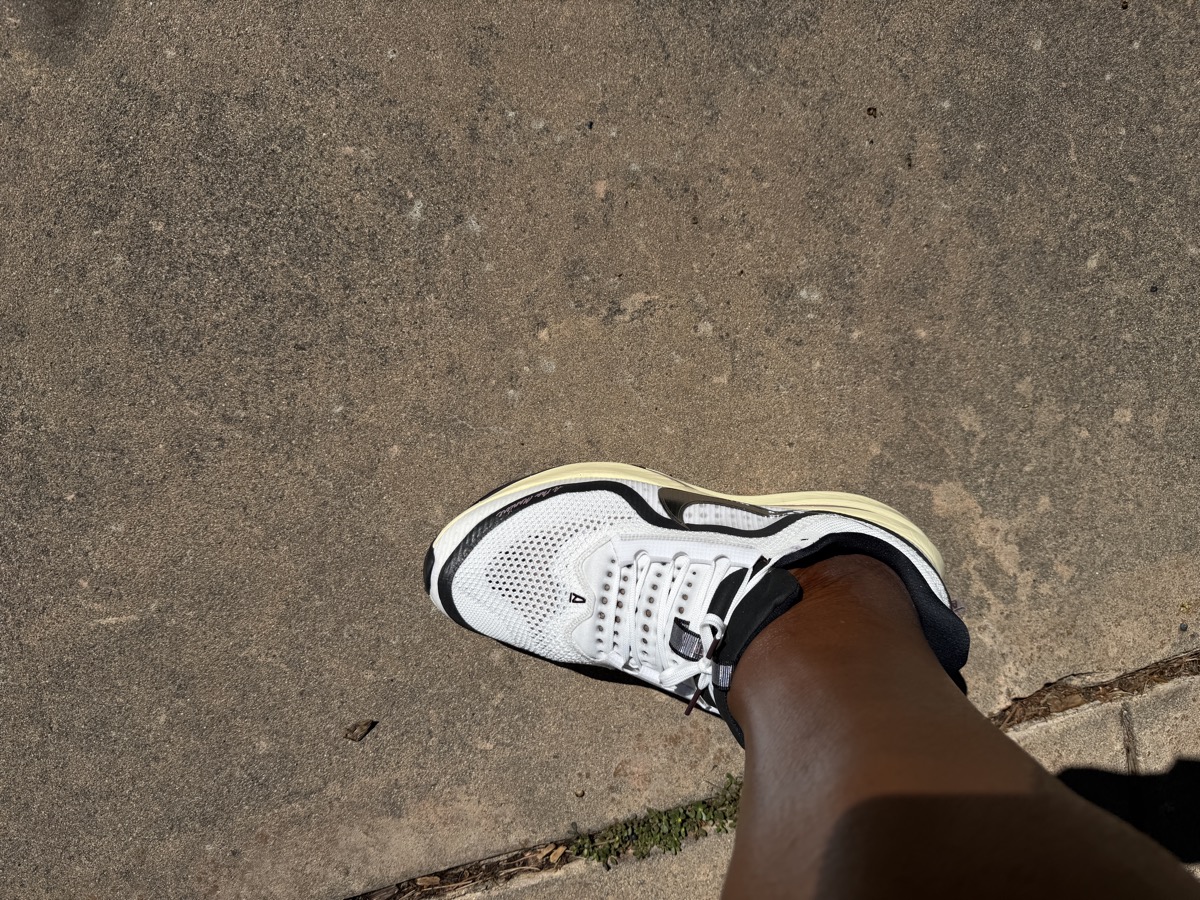
A shoe photographed on its own gets a model name — Air Jordan 4 Retro. The same shoe inside an outfit photo gets described rather than named, because at that size and angle a model name would be a guess.
A side profile, the whole shoe in frame, laces facing you. The details that separate one model from another are small: the midsole shape, the heel tab, the tongue label, the tread. Get close enough that those are visible and identification gets noticeably better. Daylight beats a lamp. A plain floor beats a busy rug.
Scanning a shelf or a rail
Photographing a crowded shelf works too, and it is marked Testing for a reason.
Finding things in a crowded photo works well — it will pick fifteen distinct garments out of a packed shelf and tell you roughly how many more it couldn’t make out. Describing them is where it falls short, for the same reason as always: a folded stack shows colour and texture but no buttons, no neckline, no shape.
Use it to get a rough inventory quickly, then improve the pieces you care about with a proper photo. Anything it finds lands in your closet where you can correct it.
Adding a lot at once
Whichever way you add things, you are never waiting on one before the next begins. Select as many photos as you like; they upload in a few seconds, and then Styvica goes away and works out what they all are.
You don’t have to watch. Your closet will say something like “Styvica is working out 50 items” and fill itself in as answers arrive, usually within a minute or two. Lock your phone, go and do something else, come back. Nothing is lost by leaving, and nothing is lost if a photo fails — the rest carry on without it.
When it’s finished, your closet offers to walk you through what it found.
What to expect when it identifies
Sometimes Styvica names the shoe outright. Sometimes it offers two or three and asks you to pick. Sometimes it says it doesn’t know.
That last one is deliberate. A confident wrong answer is worse than an honest “I’m not sure” — if Styvica tells you something it can’t actually see, you stop trusting the things it can. When it offers a choice, it’s because the detail that would settle it isn’t in the photo.
You always have the last word. Correct anything that’s wrong; what you confirm is what Styvica remembers.
Reviewing what Styvica found
Everything new waits in Pending until you say what it is. Nothing is filed into your closet on a guess.
One item per screen, four ways to answer. Most take a single tap.
- Yes, that’s it — Styvica got it right. Next.
- Not quite — pick one of the alternatives it offers, or type the correction yourself.
- Not mine — for a photo that isn’t clothing, or something you don’t own. It goes, and the photo goes with it.
- Skip — decide later. It stays waiting for you.
You can stop whenever you like and pick up where you left off. Anything you’ve confirmed is already in your closet and already usable.
Two ways to ask what to wear
Complete the look starts from something you own. Pick a piece, say what the look still needs — a top, shoes, something over it — and Styvica builds it from the rest of your wardrobe. Everything it suggests is something you already have.
Match the kicks is the other way round: show Styvica what you’re wearing and it picks the shoes.
Turning an outfit photo into closet items
When Styvica reads an outfit, it names what it can see — the jacket, the shirt, the trousers. Under that list is Add these to my closet, which turns each of those into its own item for you to confirm.
It works on outfit photos you added months ago, so anything Styvica once described but never catalogued can still be picked up. Each garment becomes a separate item — a suit jacket lands separately from its trousers, because you wear it separately.
Should I buy this?
Before you buy something, show Styvica a screenshot from the shop or a photo of it in the store. It weighs the item against everything you already own.
You get a verdict — strong buy, consider or skip — the reasoning behind it, the things in your closet it would actually work with, and anything you already own that’s close to it.
The verdict is about your wardrobe, not the product. Something excellent that duplicates two things you own is a skip.
You can note the price, but that’s only for your own record. Styvica has no market data and won’t tell you whether something is worth the money.
Afterwards it asks whether you bought it. If you did, one tap adds it to your closet.
Sharing a look
When Styvica picks something you like, there’s a Share this look button under the recommendation. It makes a link you can send to anyone.
Whoever opens it sees three things: the photo, what Styvica picked, and why. Nothing else from your closet goes with it — not your other items, not your other outfits, not your name.
You can withdraw the link at any time, which closes the page and the photo together. One thing worth knowing: withdrawing can’t reach a preview someone has already been sent, because messaging apps keep their own copy.
Finding one part of your closet
Once you own more than one kind of thing, a row of buttons appears above your closet — sneakers, jeans, sweaters, whatever you actually have, with how many of each. Tap one to see just those, and All to come back.
Changing your mind about an item
Every item has Archive and Delete, and the difference matters.
Archive is for something you really owned and no longer do — sold, given away, worn out. It leaves your closet and stops turning up in recommendations, but Styvica keeps what it learned from you wearing it.
Delete is for something that was never yours: a photo picked by mistake, or something Styvica got wrong. It goes completely.
Asking what to wear
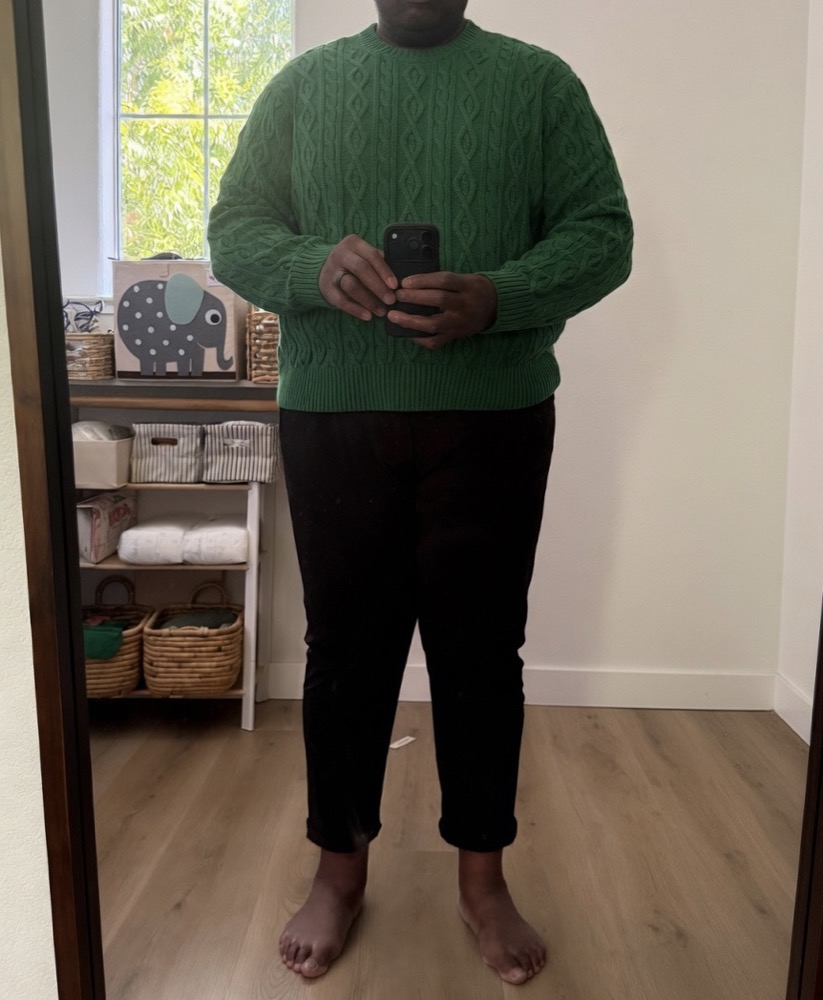
The same kind of photo does a second job. When you want a recommendation rather than a catalogue, show Styvica what you’re putting on and ask. A mirror shot, clothes laid flat on the bed, on a hanger, or just the trousers you’ve already got on — all of these work.
They tell Styvica different things. A mirror shot shows proportion: how the pieces sit on you, where the hem falls, what the whole thing weighs visually. A flat lay gives cleaner colour and texture but less sense of shape. If you can get the full length in frame, do — proportion is what decides which shoe works.
Getting the recommendation
Styvica reads the outfit first — pieces, palette, contrast, formality, how the volume sits. Then you ask it to pick shoes, and it gives you three answers to three different questions:
- Best overall — the strongest complete look.
- Safest — reliable, versatile, hard to get wrong.
- Most interesting — the more expressive choice, the one that might make you reconsider.
Every pick comes from shoes you actually own, with a reason. If the reason isn’t convincing, the pick probably isn’t either — that’s the point of showing it.
A few honest notes
Working out what a shoe is takes ten to fifteen seconds — Styvica is looking properly rather than pattern-matching. It happens in the background now, so it’s time you spend doing something else rather than watching a screen. Recommendations are the one place you still wait, because you asked a question and are standing there for the answer.
Recommendations get better the more you add — with four things it’s choosing from four. Ten or more is where it starts feeling like it knows your wardrobe.
It’s early, and you’ll find things that are wrong or awkward. Telling us is genuinely the most useful thing you can do.